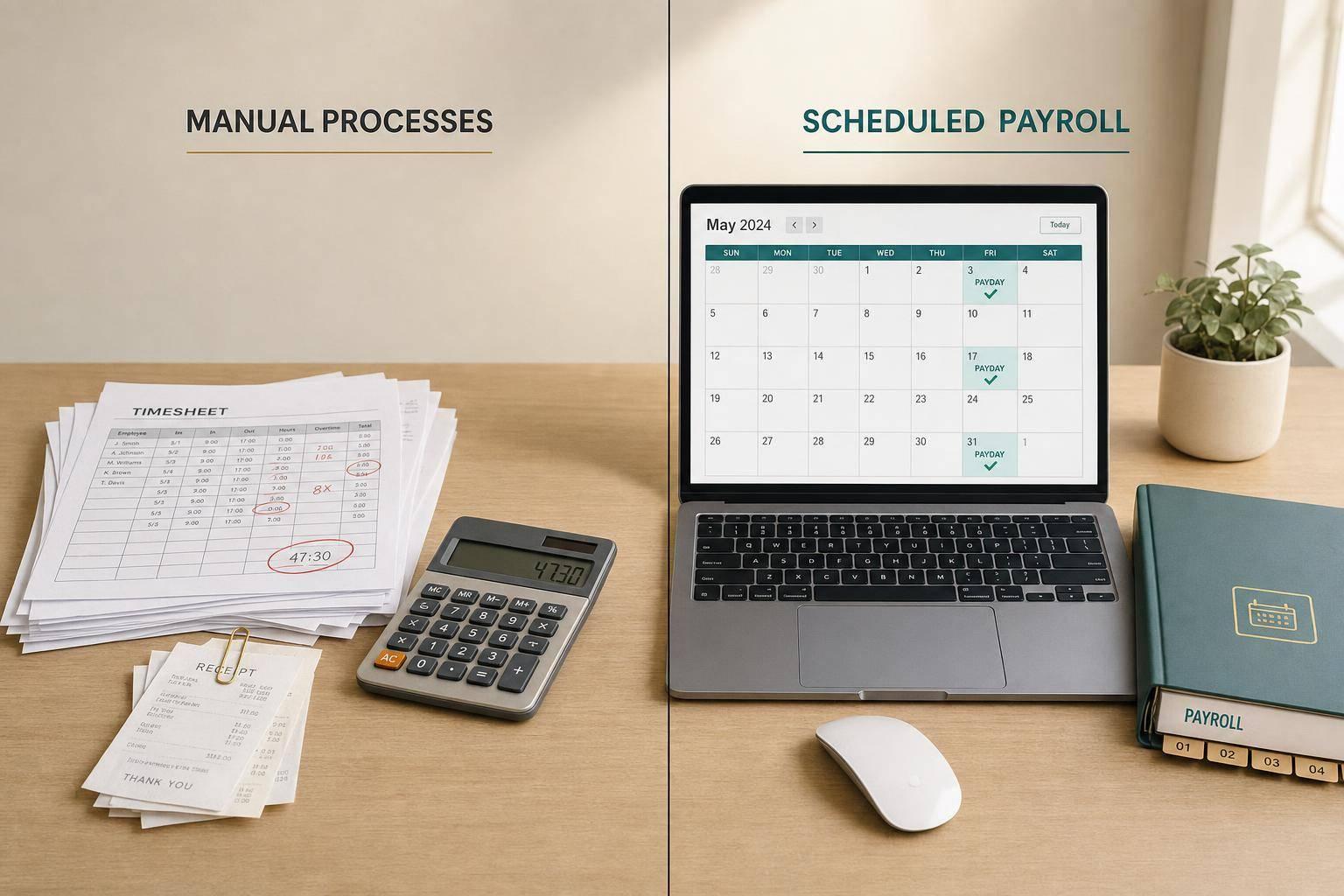
Payroll Scheduling vs. Manual Processes
If I want payroll to take less time, have fewer mistakes, and leave a clearer paper trail, scheduled payroll software usually beats doing payroll by hand.
Here’s the short version: manual payroll can take 4 to 8 business days from start to finish, while automated runs often cut payroll work from 4–6 hours per cycle to 1.5–3 hours. Manual work is also tied to more errors. In one study, 39% of organizations linked payroll mistakes to manual processes, and one automation study showed error rates dropping from 5.2% to 1.6%.
If I boil the article down, it comes to four checks:
- Time: manual payroll takes longer because staff re-enter hours, check formulas, and send payslips one by one
- Accuracy: hand entry, old tax tables, and spreadsheet issues create more pay fixes
- Compliance: software stores records, change logs, and payroll history in one place
- Fit: manual payroll may still work for 1–4 employees with simple pay in one state
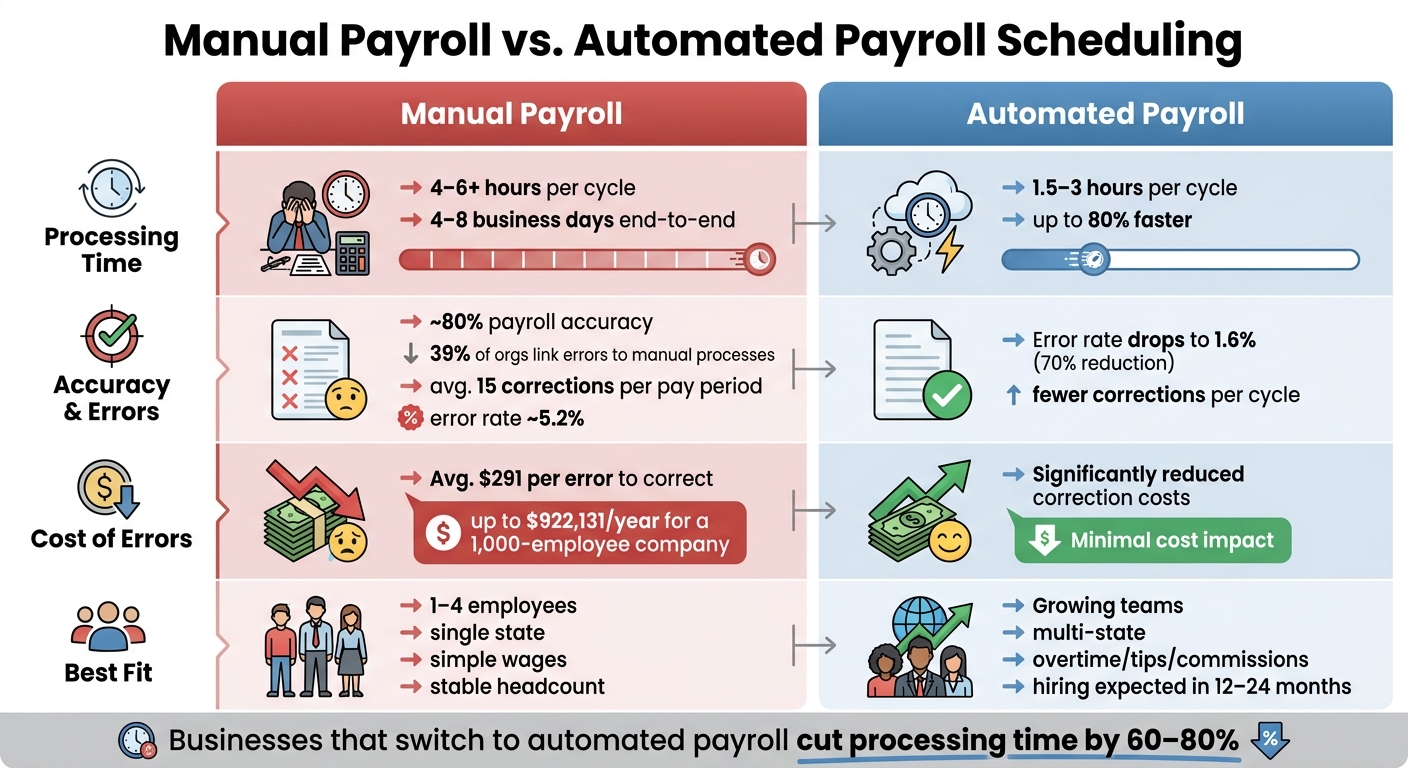
Manual Payroll vs. Automated Payroll Scheduling: Key Stats & Differences
Payroll Automation Explained: What It Is and How It Eliminates Manual Payroll Work
sbb-itb-b1c1928
Quick comparison
| Criteria | Manual Payroll | Automated Payroll Scheduling |
|---|---|---|
| Processing time | 4–6+ hours per cycle, sometimes 4–8 business days end to end | 1.5–3 hours per cycle in many cases |
| Approvals | Often takes days | Often same day |
| Accuracy | More hand-entry and formula risk | Lower error risk from fixed rules |
| Corrections | More rework and employee follow-up | Fewer fixes in most runs |
| Recordkeeping | Split across files, emails, or paper | Stored in one system with logs , often via automated payslip generation |
| Payslip access | HR generates and sends copies on request | Staff can log in and download history |
| Best fit | Very small, simple, single-state payroll | Growing teams, multi-state payroll, or mixed pay types |
Bottom line: if payroll is simple and stays simple, manual work may be enough. But once I add overtime, tips, commissions, more states, or hiring plans, scheduled payroll software usually becomes the safer choice.
How each payroll method works, step by step
Both methods follow the same payroll path: capture time, approve hours, calculate pay, apply deductions, and create final records. The big difference is who handles each handoff.
How automated payroll scheduling works
Once a pay period ends, approved time data flows in from time tracking on its own. No one has to type it in again.
From there, the system uses saved pay rules - hourly rates, overtime thresholds, salary amounts, and pay frequency - to calculate gross pay. It also pulls the right federal, state, and local tax tables, applies pre-tax deductions like 401(k) contributions and health insurance premiums, and calculates net pay for every employee in the same run.
Then it creates the final pay records, including earnings details, tax withholdings, deductions, and net pay. Many tools also generate PDF payslips, store payroll history, and give employees self-service access.
Manual payroll goes through these same steps. The difference is that a person handles every transfer from one step to the next.
How manual payroll works
With manual payroll, staff gather hours from timesheets or spreadsheets, confirm approvals, enter the data again, calculate gross pay, apply tax tables and deductions, and send payslips one at a time.
That sounds simple on paper. In practice, each extra handoff adds friction.
Where manual payroll creates bottlenecks
Every handoff slows payroll and adds another chance for mistakes. Late approvals, re-entry errors, and version-control mix-ups can leave almost no time to fix pay problems before payday.
Manual payroll is linked to higher error rates, more rework, and more employee complaints about incorrect pay details compared with automated systems. And when something goes wrong, the fix often means more back-and-forth: correcting payslips, reprocessing payments, or fixing tax withholdings after the fact.
| Manual Process Step | Common Bottleneck |
|---|---|
| Collecting hours | Delays waiting on paper forms or email approvals |
| Re-entry | Transcription errors, wrong rows, outdated files |
| Calculations | Formula errors, outdated tax tables |
| Payslip formatting | Manual formatting, version mismatches |
| Delivery | Slow, one-by-one delivery with no access history |
Efficiency and accuracy: where the two methods differ most
Processing time and approval speed
The first place the gap shows up is cycle time.
A 25-employee business usually spends 4–6 hours per payroll cycle when the process is manual. With automation, that drops to 1.5–3 hours, and most of that time goes to review and handling exceptions. One 200-employee company cut its payroll cycle from 4–5 days to 6–8 hours. That’s an 80% reduction.
That time savings changes approvals too. Instead of checking spreadsheets line by line, managers can review a dashboard and focus only on outliers. In practice, that can move approvals from days to same-day decisions.
Calculation accuracy and error rates
Manual payroll also creates more room for mistakes because there are more handoffs and more chances to key something in wrong.
In one study, 39% of organizations said payroll processing errors were tied directly to manual processes. On top of that, the average U.S. company runs at about 80% payroll accuracy and deals with roughly 15 corrections per pay period.
Those fixes aren’t cheap. EY research found that the average payroll error costs $291 to correct. For a 1,000-employee company, that can total $922,131 per year in correction costs alone.
Automated systems cut that risk by using the same stored pay rules, tax tables, and overtime logic every time payroll runs. A McKinsey-cited study on payroll automation found error rates fell from 5.2% to 1.6% after automation was put in place. That’s a 70% drop. In one automation case, errors fell from 8–12% to under 1%.
Comparison table: payroll scheduling vs. manual payroll
The differences are easiest to scan side by side.
| Dimension | Manual Payroll | Automated Payroll Scheduling |
|---|---|---|
| Processing time | 4–6+ hours per cycle; variable | 1.5–3 hours; predictable |
| Approval speed | Days; relies on spreadsheet review | Same-day; dashboard and exception-based |
| Calculation accuracy | About 80% average accuracy; formula and table errors common | Higher; standardized rules reduce calculation errors |
| Data consistency | Varies by file or owner | Centralized rules applied uniformly across all employees |
| Correction workload | Higher rework volume | Fewer corrections |
| Reliance on manual entry | High; hours, rates, and deductions are keyed in each cycle. | Low to moderate; data imported automatically, exceptions handled manually |
Compliance, recordkeeping, and payslip delivery
Speed matters, but payroll also needs to stand up to scrutiny.
Tax updates, audit trails, and record history
Compliance isn’t just about running payroll on time. It’s about being able to show that each run was handled the right way.
The IRS requires payroll records to be kept for at least four years, and the FLSA requires records of hours, wages, deductions, and pay periods to be available on request.
Automated payroll systems make that job a lot easier. They store each payroll run in one central database and keep time-stamped logs showing who changed what and when. If a tax rate changes or a deduction gets adjusted, the system keeps a record of it.
Manual payroll works very differently. Someone has to track tax updates, change formulas, and prepare month-end payroll PDFs by saving changes across separate files. And once records are spread across spreadsheets, email threads, and paper folders, tracing an issue turns into a headache. Problems can show up much later during an audit, when the trail is cold and the source is hard to find.
Payslips and employee access to payroll records
Recordkeeping also shapes how easy it is for employees to get their own pay history.
Manual payslip delivery is harder to monitor. Many states require itemized wage statements and access to pay records on request. In a manual setup, that often means an HR team member has to hunt down the file, print it again, and send it over.
Automated systems cut out that back-and-forth. Employees can log in and pull their own payslip history without waiting on payroll staff.
CleverSlip shows how this works in day-to-day use. CleverSlip lets employers create PDF payslips, send them by email, and give employees self-service access to payslip history. That kind of steady process helps with employee trust and audit readiness.
Manual delivery also lacks dependable tracking. A missed attachment or an old email address can slip by until an employee speaks up. Automated delivery, on the other hand, logs who received each payslip and when.
Comparison table: compliance and recordkeeping differences
| Dimension | Manual Payroll | Automated Payroll Scheduling |
|---|---|---|
| Audit trail visibility | Split across spreadsheets, emails, and paper records; changes may not be logged | Time-stamped logs with user IDs; changes are recorded and searchable |
| Payroll history access | Spread across local drives, folders, or filing cabinets; hard to pull together | Centralized database; filterable by employee, date range, or earnings type |
| Document delivery reliability | Manual distribution; little or no tracking of what was sent | Automated delivery with logs showing who received what and when |
| Employee access to past payslips | On-request copies from HR; delays and gaps are common | Self-service portal with downloadable PDF history |
| IRS/DOL retention readiness | Harder to keep records consistent and easy to retrieve over multiple years | Organized records that are easier to keep accessible for required retention periods |
These gaps become more obvious as payroll volume grows and more people need to review records.
Which payroll approach fits your business
The right pick comes down to two things: how complex your payroll is now and how much change you expect over the next 12 to 24 months. The earlier differences in speed, accuracy, and compliance give you a good line to work from. At a certain point, manual payroll stops being a practical time-saver and starts eating up hours.
Small teams vs. growing operations
Manual payroll can still make sense for very small teams in one state with simple pay. If everyone earns one set rate and there are no extra moving parts, it may be enough.
That changes fast when payroll gets messier. Multiple pay rates, overtime, tips, or employees in more than one state all add work. Once that happens, manual processing gets harder to defend, and the time you thought you were saving tends to vanish.
Decision table: when each option makes sense
Use this table as a quick cutoff between staying manual and moving to automated payroll suites.
| Business Factor | Manual Payroll | Automated Payroll Scheduling |
|---|---|---|
| Team size | 1–4 employees | Growing team or any multi-state operation |
| Pay frequency | Monthly | Biweekly or weekly |
| Pay complexity | Single salary, no overtime or bonuses | Multiple rates, overtime, tips, commissions |
| State coverage | Single state | Two or more states |
| Growth plans | Stable headcount | Hiring expected in the next 12–24 months |
| Payroll time available | Owner has time to manage payroll manually | Owner or staff has limited payroll time |
Conclusion: key takeaways
Manual payroll’s main upside is the low setup work. It fits solo owners and very small, single-state teams with simple wages.
Automation pulls ahead as payroll gets more involved. Businesses that switch often cut processing time by 60% to 80%, reduce calculation mistakes, and create the audit-ready records that matter when headcount grows, pay types stack up, or state coverage expands.
FAQs
When should I stop doing payroll manually?
You should stop doing payroll manually when it starts slowing your business down or putting growth at risk.
A few common signs stand out:
- You have more than three employees
- Each pay run takes over an hour
- Calculation mistakes keep popping up
- Pay has gotten more complex, with overtime, bonuses, or multi-state taxes
- You don't have a reliable audit trail
At that point, manual payroll isn't just a hassle. It can cost you time, money, and peace of mind. Moving to CleverSlip can help cut errors and make compliance easier as your team grows.
What payroll tasks are easiest to automate first?
Start with repetitive tasks that are most likely to go wrong when handled by hand, especially payroll calculations, tax deductions, and payslip generation. These jobs depend on steady data and fixed rules, which makes them a strong fit for automation.
Then move to employee self-service updates and bulk payslip processing. That can cut manual work and improve accuracy.
How hard is it to switch from manual payroll to scheduled software?
Moving from manual payroll to scheduled software is usually pretty manageable. You’re not starting from scratch.
Start by reviewing your current process and data. Then import employee details one time and run a parallel payroll cycle so you can compare the software’s results with your current method before you switch it on for good.
The setup and learning period is often short, usually around 15–30 minutes. The biggest risk is entering starting data incorrectly, so it’s smart to test everything carefully before payday.
Payroll, simplified
Create structured payslip PDFs in minutes.
Build country-specific payslip documents, deliver them instantly, and keep a searchable history for audits and employee requests.
Start free