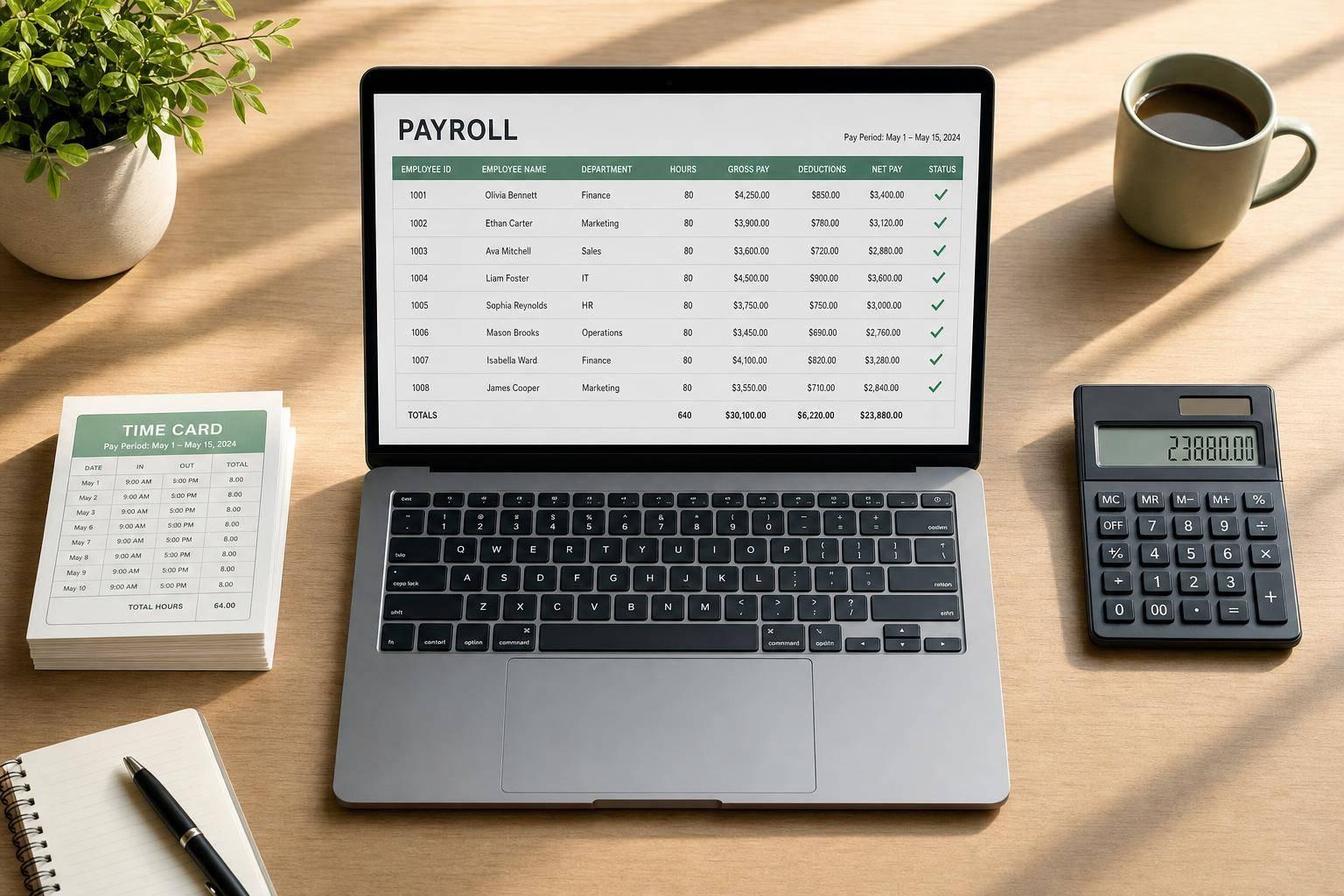
Common Payroll Errors: Causes and Solutions
Payroll mistakes cost U.S. employers money, time, and employee trust. In FY 2024, the DOL recovered $202 million in back wages and $71 million in damages for nearly 152,000 workers. On top of that, IRS payroll tax deposit penalties start at 2% and can reach 15%, plus interest.
If I had to sum up the article in one line, it would be this: most payroll errors come from bad time data, wrong worker or tax setup, and weak payroll steps. The fix is simple in concept: check data before payroll runs, automate payslip generation, keep systems in sync, and use the same review steps every pay period.
Here’s the short version:
- Calculation and timekeeping errors lead to underpayments, overpayments, missed overtime, and wrong deductions.
- Classification and compliance errors include worker misclassification, tax withholding mistakes, late deposits, and garnishment problems.
- Process failures like manual entry, disconnected systems, and poor training cause the same errors to happen again.
- The best solution is a repeatable payroll workflow with approvals, exception checks, variance reviews, and clear records.
A few numbers stand out:
- Fixing one payroll error can cost about $291
- Benefits or W-4 setup mistakes can cost $499–$539
- Manual data entry is tied to 35% of payroll mistakes
- Studies estimate 10%–30% of employers misclassify at least one worker
| Error source | Common problems | What helps |
|---|---|---|
| Time and pay data | Wrong hours, old pay rates, missed overtime | Pre-pay checks, time system review, variance reports |
| Worker status and tax setup | Exempt mistakes, contractor mistakes, tax deposit issues | Written checklists, system reviews, deposit controls |
| Payroll process | Hand-keyed data, weak review steps, poor records | System integration, sign-offs, audit trails |
So before I get into the detail, the takeaway is clear: payroll accuracy starts before payroll is processed. If the inputs, setup, and review steps are wrong, the paycheck will be wrong too.
Catching Costly Payroll Mistakes Before They Snowball
sbb-itb-b1c1928
Payroll Calculation and Timekeeping Errors
Payroll mistakes change what people take home. In most cases, the root cause isn't bad math. It's bad input, hand-keyed changes, and weak time records.
Underpayments and Overpayments
A common cause of underpayment is simple: an approved raise doesn't make it into payroll on time. The employee keeps getting paid at the old rate until someone spots the problem. Overpayments usually happen for other reasons, like a terminated employee staying active in the system or a duplicate time entry getting processed before the next payroll run.
Manual timesheets make both issues more likely. One industry estimate says time-punch errors happen more than 400 times per 1,000 employees each year - even in places with established processes. Missed clock-outs, backdated edits, and uneven rounding can all distort total hours.
A few controls help cut this down:
- Require documented approval for every pay rate change
- Reconcile approved rates and hours against payroll inputs before each run
- Run a variance report that compares gross pay, hours, and key earnings categories with the prior pay period to spot anything unusual
These problems usually start with the data going in, not the calculation itself.
Incorrect Overtime and Premium Pay
One mistake shows up again and again: overtime gets calculated using only the employee's base hourly rate. But under the FLSA, the regular rate must also include nondiscretionary bonuses, shift differentials, and some commissions. So if an employee earns a weekly attendance bonus and works 45 hours in a week, overtime has to be based on more than the base rate. Paying straight time for those extra hours, or working out overtime on a biweekly basis instead of weekly, leads to the same issue.
Off-the-clock work is another trouble spot. Pre-shift setup, post-shift cleanup, and required training time all count if they are compensable. If the timekeeping system doesn't record that time, the employee doesn't get paid for it - and that is a DOL enforcement target.
Automated time capture, such as badge readers, mobile apps, or web clocks, can help close those gaps when it's paired with a clear written policy on what counts as compensable time. A pre-run exception report also helps by flagging unusual hour totals or sudden overtime spikes so payroll staff can check them before pay goes out.
If the system misses the time, payroll often can't patch it up later.
Payslip Errors in Earnings and Deductions
A payslip with the wrong gross pay, a missing garnishment, or old tax withholding settings causes confusion fast. And in practice, it usually ends with a call to HR.
These mismatches often come from HR and payroll systems that are out of sync. An employee changes a benefits election during open enrollment, but the payslip still shows the old deduction. Or a garnishment order gets entered in one system and never makes it into the other.
It helps to treat the payslip as more than a pay summary. Think of it as a check point. A standard payslip template should show gross pay, regular and overtime hours, taxes, deductions, garnishments, net pay, and year-to-date totals. Add a review step any time a deduction or garnishment is added or changed, and many of these mistakes get caught before the employee sees them.
| Payslip Error | Common Cause | Prevention |
|---|---|---|
| Incorrect gross pay | Wrong hours or old rate in system | Pre-pay variance report vs. prior period |
| Missing or wrong tax withholding | Old withholding settings or out-of-date tax tables | Annual system updates; review withholding changes each cycle |
| Benefits deduction mismatch | Open enrollment changes not synced to payroll | Automated HR-to-payroll integration; post-enrollment audit |
| Garnishment not applied | Order entered in HR but not payroll | Required approval workflow for all garnishment changes |
When the issue sits in the worker record instead of the calculation, compliance risk usually comes next.
Classification and Compliance Errors
Calculation errors hit one paycheck at a time. Classification and compliance errors can hit the whole business. If a worker is put in the wrong category or tax deposits go in late, the result can be audits, notices, penalties, and legal claims.
The two main trouble spots are worker status and tax handling.
Worker Classification Mistakes
Two common classification mistakes are treating employees as contractors and marking nonexempt workers as exempt. In many cases, the problem starts with a casual call that no one revisits.
A contractor slowly becomes part of day-to-day operations. Or a team lead gets marked exempt because of a title, even though the actual work doesn't meet the test.
Federal and state studies estimate that 10–30% of employers misclassify at least one worker as an independent contractor. The money at stake can be steep. In intentional cases, combined IRS liabilities can reach up to 41.5% of every wage paid to the affected worker. Even unintentional mistakes come with real costs: $50 per unfiled Form W-2, 1.5% of wages for income tax withholding, and 40% of the employee's unpaid FICA taxes, plus the full employer FICA share.
Use a written classification checklist before assigning worker status. Check that exempt roles meet all three FLSA tests: salary basis, salary level, and actual duties. Job titles do not determine exemption status. Job content does. Set automatic recheck triggers for role changes, longer contractor engagements, and any update to FLSA salary thresholds.
Once worker status is off, tax treatment and reporting usually go off with it.
Tax, Filing, Benefit, and Garnishment Errors
Errors in this group rarely come from one dramatic miss. They build over time - an old W-4 here, a late deposit there, a fringe benefit that never got added to taxable wages. Nearly 40% of small businesses pay at least one payroll penalty in a given year, most often tied to deposit timing and filing mistakes.
IRS deposit penalties use a tiered system:
- 2% for deposits 1–5 days late
- 5% for 6–15 days late
- 10% for more than 15 days late
- 15% if still unpaid ten days after the first IRS notice
Interest also starts from the original due date.
Benefit and garnishment mistakes are just as easy to miss. A new FSA plan goes live, but no one checks whether payroll coded it as pre-tax. Or a 401(k) contribution goes past the IRS annual limit because nobody set a system cap. Garnishment errors often follow the same pattern: manual setup, state-rule mistakes, or the wrong order for multiple garnishments.
| Compliance error | Primary cause | Key legal risk | Recommended control |
|---|---|---|---|
| Incorrect income tax withholding | Outdated W-4 data or misconfigured tax settings | IRS and state penalties; employee under/over-withholding | Require current W-4s; lock down manual overrides; test tax configurations periodically |
| Late payroll tax deposits | Manual scheduling or cash flow gaps | Tiered deposit penalties (2%–15%) plus interest | Use automated deposit schedules; reconcile liabilities after each payroll run |
| Missed or incorrect garnishments | Manual setup errors, state-rule mistakes, or misordered multiple garnishments | Noncompliance with court/agency orders, penalties, legal action | Centralize garnishment processing; apply system-based legal limits; document every order |
Most of these problems trace back to the same few issues: manual changes, weak controls, and poor handoffs between systems.
Process Failures Behind Repeat Payroll Mistakes
A lot of payroll mistakes don’t start with bad math. They start with a bad process.
Calculation, classification, and filing issues often come from the same place: a broken workflow. Most payroll errors aren’t random. They tend to show up in patterns, with the same kind of mistake happening again and again in the same part of the process. When errors keep repeating, that’s usually a sign that the workflow itself is the problem.
Manual Entry and Disconnected Systems
Manual data entry accounts for 35% of payroll mistakes.
That number makes sense when you look at how many payroll teams still move data between separate tools and payroll suites. HR, timekeeping, benefits, and payroll systems often don’t talk to each other. So teams end up reconciling data by hand.
Here’s where things go sideways: hours get pulled from a timeclock, dropped into a spreadsheet, and then typed into payroll. One typo can throw off the whole run. If 42.75 hours gets entered as 24.75, that single mistake can affect an entire payroll batch.
Disconnected systems create other problems too. They leave gaps that make it harder to spot:
- missing approvals
- late time data
- mismatched deductions
And once paychecks go out, fixing those issues gets more painful.
The better setup is simple: use one source of truth for employee and pay data, then have other tools pull from it automatically. Direct timekeeping-to-payroll integration cuts out re-keying. Automated data flows through APIs or secure file transfers can replace email attachments and spreadsheet uploads.
Once data starts moving by hand, repeat errors are hard to avoid unless controls catch them before they move downstream.
Weak Controls, Poor Documentation, and Training Gaps
Weak controls can let the same payroll mistakes slip through over and over. And even when systems are connected, poor controls still leave room for repeat errors.
If one person can update pay rates, process payroll, and hand out checks without a second review, there’s no dependable backstop. That makes it much easier for employees to be paid the wrong amount.
Poor documentation adds another layer of trouble. When retro adjustments, bonuses, or special differentials are handled through email or verbal instructions, there’s no steady record showing how the numbers were worked out. So when a similar case comes up later, the same mistake can happen all over again.
Training gaps make things worse, especially when staff aren’t fully current on FLSA overtime rules or state garnishment limits.
A simple control framework can help stop that cycle:
| Control stage | What it checks | Which errors it catches |
|---|---|---|
| Before entry | That changes are authorized and complete before entry | Unauthorized changes, missing data, incorrect classifications |
| At entry | That entered or imported data meets format and logic rules | Typos, impossible values, missing fields, mismatched codes |
| Before payroll | That calculated payroll totals and samples look reasonable before finalization | Large variances, misapplied overtime, missing premiums or deductions |
| After payroll | That results by employee, department, and pay type align with trends and expectations | Recurring anomalies, systemic misconfigurations, classification issues |
| Change logs | That every change and transaction is traceable to a user, time, and approval | Fraud, unauthorized changes, unexplained adjustments |
Small teams don’t need a huge control system on day one. A few high-impact checks can go a long way:
- an approval step for pay rate changes
- built-in validation rules for missing or impossible data
- a short pre-pay checklist that compares total overtime hours by department against the prior pay period
The goal is a controlled workflow with clear ownership, validation, and review points. That’s why the next step is a payroll workflow built with checks, approvals, and audit trails.
Solutions: Better Controls, Better Tools, and a Clear Payroll Process
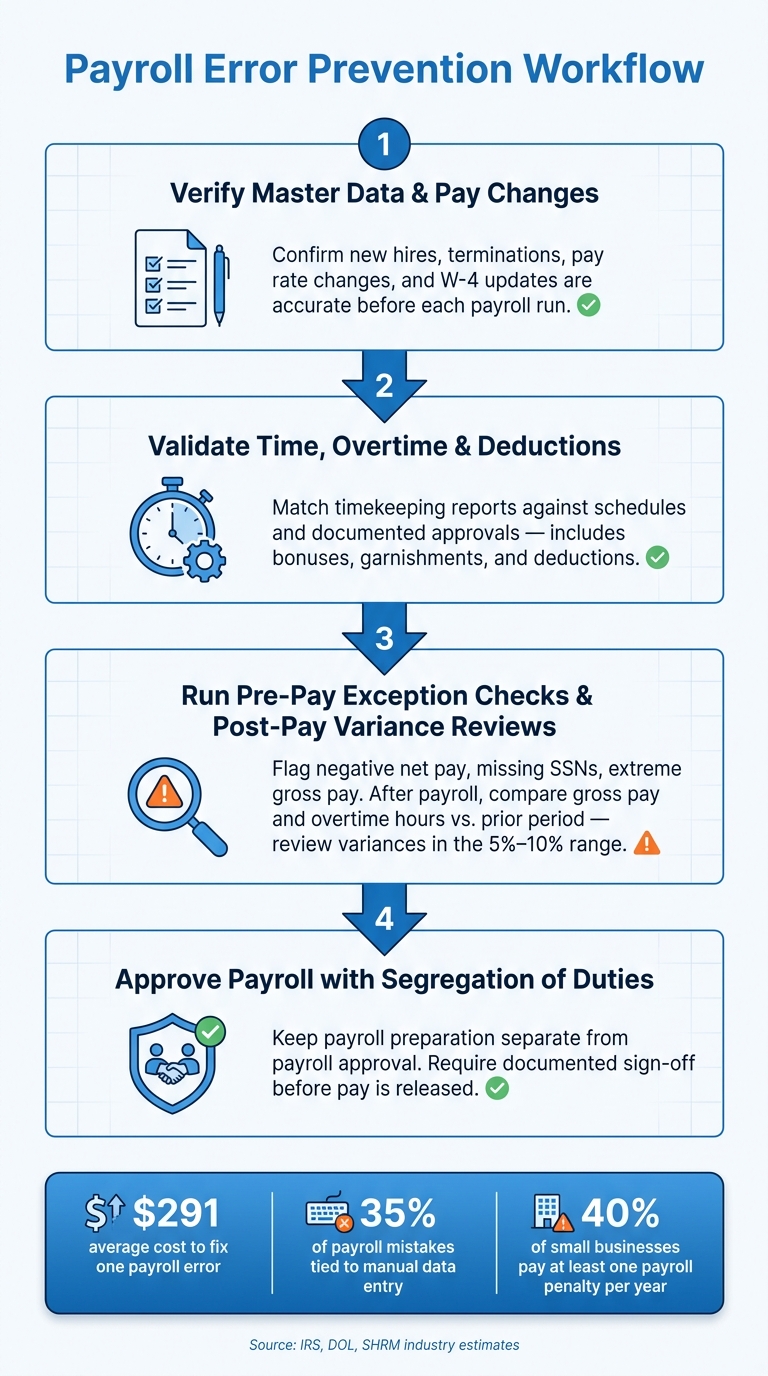
Payroll Error Prevention Workflow: 4-Step Checklist
Payroll errors usually come from the same place: weak checks, messy data, and a process that changes from run to run.
The fix is pretty simple. Put tighter controls around each step, clean up the inputs, and use the same review process every time before payday. That helps catch calculation mistakes, compliance issues, and process breakdowns early instead of after pay goes out.
A Payroll Error Prevention Workflow That Works
One of the best ways to cut repeat payroll mistakes is to use the same checks every pay run.
A repeatable workflow gives the payroll team a clear path to follow. It also makes ownership clear. Every step should have one person responsible for it, plus a sign-off before the process moves forward.
Here’s a workflow that works:
- Verify master data and pay changes. Check that new hires, terminations, pay rate changes, and W-4 updates are correct before each payroll run.
- Validate time, overtime, bonuses, deductions, and garnishments. Match timekeeping reports against schedules and documented approvals before payroll is processed.
- Run pre-pay exception checks and post-pay variance reviews. Flag negative net pay, extreme gross pay, missing SSNs, and new or changed garnishments before pay is released. After payroll, compare gross pay, overtime hours, and employer taxes with prior periods, and review variances in the 5%–10% range.
- Approve payroll with segregation of duties and documented sign-off. Keep payroll preparation separate from payroll approval.
A checklist helps turn each review step into something you can track and repeat. It also makes the process easier to audit later. And that matters, because payroll mistakes are common, and every correction eats up time and money.
Once the process is under control, the next job is making pay statements easier to review and audit.
How CleverSlip Supports Accurate Payslips and Audit Visibility
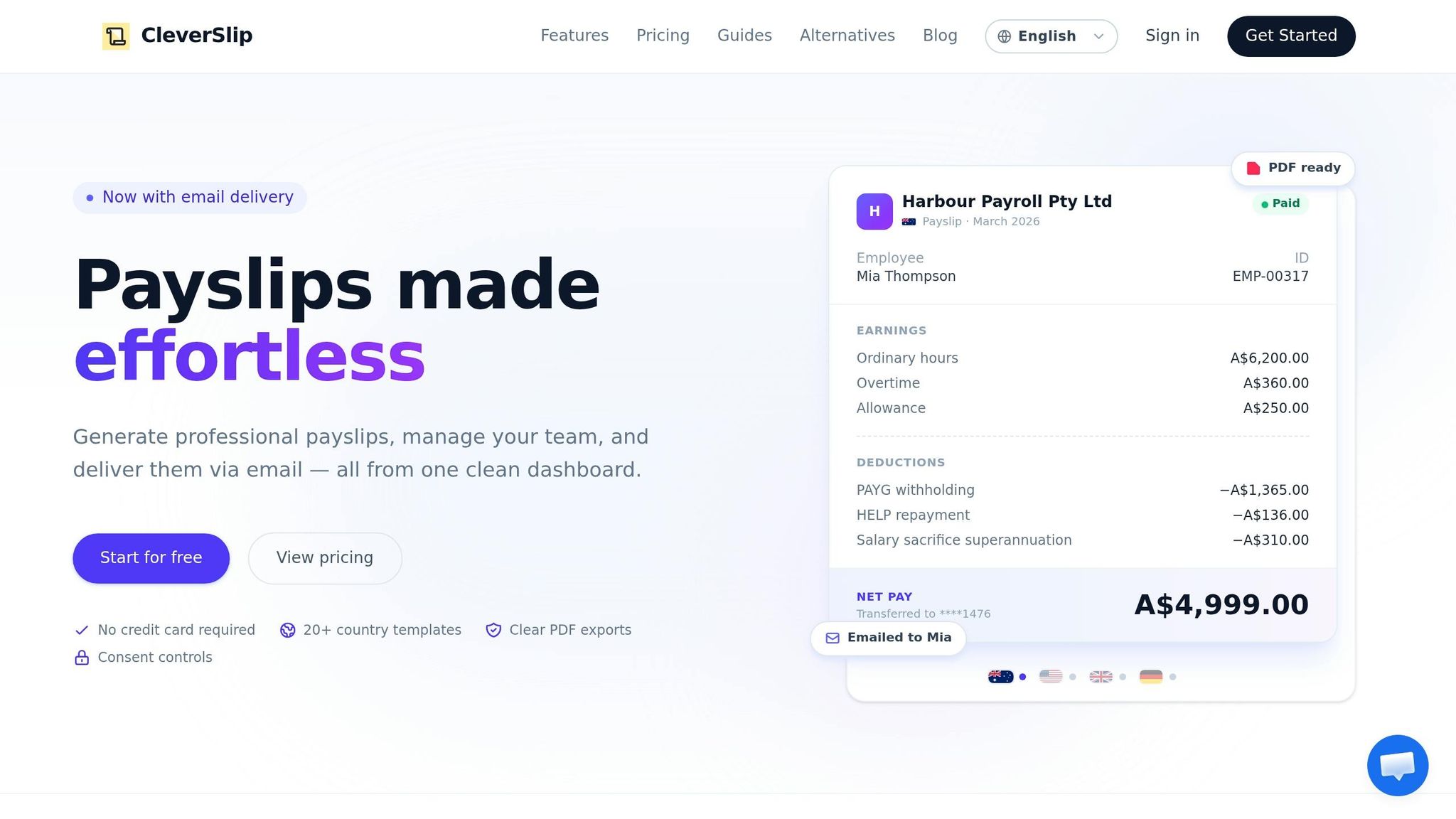
CleverSlip helps cut payslip confusion by standardizing PDF payslips, sending them by email, and giving employees self-service access to pay history.
| Feature | Primary error reduced | Root cause addressed | Key process improvement |
|---|---|---|---|
| Standardized PDF payslips | Misstated or unclear earnings/deductions | Inconsistent payslip formats | Consistent, compliant pay statements every pay run |
| Email delivery | Delayed detection of payroll mistakes | Slow or uneven payslip distribution | Faster review after each pay run |
| Payslip history tracking | Inability to verify past corrections | Poor documentation and record-keeping | Central, searchable archive of all payslips per employee |
| Employee self-service access | Repeated inquiries and overlooked errors | Limited employee visibility into pay details | Employees self-check pay, reducing admin load |
| Audit trail | Difficulty reconstructing what changed and when | Weak controls and undocumented changes | Traceable pay statement changes for internal and external audits |
Conclusion: The Most Effective Way to Reduce Payroll Errors
Common payroll errors can be prevented when the process is built to catch problems early.
The strongest setup combines standardized workflows, regular reviews, trained staff, and tools that cut manual work while keeping a clear audit trail. Accurate payroll helps avoid penalties, saves time on corrections, and protects employee trust, which can be tough to win back once it’s lost.
FAQs
How can I audit my payroll process?
Keep your payroll records clean and well organized, and review your process on a regular basis. Write down your workflow, including employee details and deductions, and run internal audits at least once every quarter so you can spot problems early.
Look for variances, trends, employee-level errors, and exceptions like duplicate payments or worker misclassifications. Reconcile payroll registers against bank statements, make sure Form 941 matches your records, and keep wage and tax documents for three to seven years.
What payroll mistakes cause the biggest penalties?
The biggest payroll penalties usually come from employee misclassification, payroll tax non-compliance, and wage violations.
Common examples include:
- Misclassifying employees as independent contractors
- Missing payroll tax deadlines
- Failing to meet minimum wage or overtime rules
- Poor record-keeping
- Inaccurate tax withholding
These mistakes can lead to fines, unpaid taxes, back pay, interest, attorney fees, and liquidated damages.
When should payroll systems be integrated?
Integrate payroll systems when your team still relies on manual handoffs between HR, finance, and time-tracking tools. That kind of patchwork setup often leads to errors like missing records, duplicate entries, and mismatched employee data.
This matters even more as your business grows. What feels manageable at a small scale can turn into a mess once more people, more pay runs, and more systems get involved. Integration cuts down on double entry, keeps data in sync, updates employee information automatically, and saves admin time.
Payroll, simplified
Create structured payslip PDFs in minutes.
Build country-specific payslip documents, deliver them instantly, and keep a searchable history for audits and employee requests.
Start free